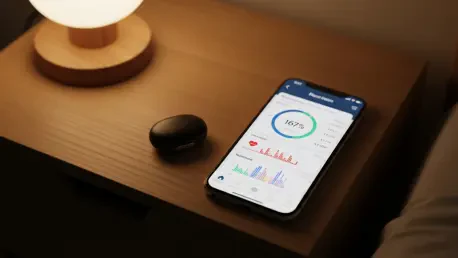

The modern obsession with constant digital connectivity has led to a significant backlash as more fitness enthusiasts seek to decouple their health data from the persistent pestering of notifications and glowing displays. This shift is most evident in the rise of screenless wearables, a category once dominated by niche players but now redefined by the Fitbit Air, which represents a bold departure from traditional smartwatch design. By removing the digital display entirely, this device prioritizes a distraction-free experience, allowing users to focus on physiological signals rather than intermittent pings or visual clutter. In the current 2026 technological climate, where digital burnout is a recognized health concern, the Fitbit Air offers a more mindful approach to activity tracking by operating passively in the background. This minimalist philosophy does not imply a lack of sophistication; rather, it indicates a move toward data-rich environments where information is processed on a smartphone or through artificial intelligence rather than on a small, constrained wrist-based interface. The device addresses a growing segment of the population that demands professional-grade health insights without the aesthetic or psychological burden of a secondary phone strapped to their arm. This evolution reflects a broader trend in the consumer electronics industry, where the value of a device is increasingly measured by the quality of its insights and the unobtrusiveness of its physical presence during daily life and rest.
1. Product Overview and Pricing
Navigating the competitive landscape of health technology requires a balance between affordability and comprehensive data analysis, a goal that the Fitbit Air achieves with its aggressive entry price. At just ninety-nine dollars, the device serves as a direct challenge to premium subscriptions like the Whoop 5.0, which often carries a heavy annual commitment. For users who prefer a straightforward hardware purchase without mandatory recurring costs, this price point is exceptionally attractive. The base model provides access to the Google Health application, where essential metrics like movement, sleep, stress, and readiness are tracked for free. This tiered approach allows consumers to choose the level of detail they require, ensuring that the primary hardware remains accessible to a wide demographic. While a premium subscription is available for those seeking advanced guidance, the core functionality of the tracker is robust enough to stand on its own for the casual fitness enthusiast. Moreover, by removing the screen, Fitbit has not only reduced the price but also minimized the complexity and potential failure points of the device. This strategy positions the tracker as a reliable, long-term companion for health monitoring rather than a fragile piece of consumer jewelry. The lack of an integrated display also translates to a more durable construction, as there is no glass surface susceptible to cracking or scratching during intense physical activities or manual labor.
The hardware design of the Fitbit Air centers on a small, durable plastic sensor that seamlessly integrates into a variety of wristband styles to suit different lifestyles and aesthetic preferences. Included with the initial purchase is the Performance Loop Band, a lightweight fabric option available in several sophisticated colors such as Obsidian, Fog, Berry, and Lavender. This band is designed for maximum comfort, utilizing recycled polyester and elastane yarn to ensure it remains breathable during high-intensity workouts and throughout the night. For those who require more specialized equipment, additional accessories like the rugged Active Band or the Elevated Modern Band are available starting at approximately thirty-five dollars. These modular components allow the user to transform the appearance of the tracker from a functional gym accessory to a more refined piece of wearable technology suitable for formal occasions. The sensor itself is remarkably compact, measuring less than an inch and a half in length, which contributes to its “forget-it’s-there” feel. Unlike smart rings, which can sometimes interfere with grip during weightlifting, the wrist-based sensor remains secure and out of the way, providing a stable platform for the internal sensors to collect accurate data. This emphasis on physical versatility ensures that the device can be worn consistently for twenty-four hours a day, which is crucial for the continuous data streams required for modern health analytics.
2. Initial Setup Process
Bringing the Fitbit Air to life requires a series of streamlined steps designed to integrate the hardware with the digital ecosystem of the user. The procedure begins by powering the device, which is accomplished by attaching the sensor to the specialized magnetic USB-C charging cable provided in the box. This action not only initiates the internal electronics but also ensures that the battery is sufficiently charged for the pairing phase. Once the device is powered, the next logical step involves the software installation, where the user must download the Google Health application from either the Android or iOS storefront. This application serves as the primary interface for all data visualization and device management. After the app is installed, access to the platform is secured by signing in with existing Google account credentials, which facilitates a unified data experience across the broader Google ecosystem. The final stage of this initial phase involves connecting the hardware by selecting the “Add Device” option within the application’s settings menu. This sequence is designed to be intuitive, guiding the user through the transition from unboxing to active tracking with minimal friction, ensuring that the technology remains accessible to those who may not be technically inclined.
After the initial hardware recognition, the setup process shifts focus to the necessary permissions and the physical optimization of the device for accurate data collection. The application will prompt the user to enable specific permissions, most notably the ability to access location services and the activation of Bluetooth to search for and maintain a connection with nearby devices. Granting these permissions is essential for the synchronization of workout routes via GPS and the consistent transfer of biometric data. Once the app successfully recognizes the tracker, the pairing is finalized through a synchronization process that establishes a dedicated link between the smartphone and the sensor. The final and perhaps most critical step is the physical positioning of the band on the user’s arm. For the most accurate heart rate and blood oxygen readings, the strap should be secured approximately one finger-width above the wrist bone. The tension of the band must be balanced; it should be tight enough to prevent the sensor from sliding during movement, yet loose enough that a finger can still fit comfortably underneath. Proper placement ensures that the optical sensors maintain consistent contact with the skin, which is the foundation of the high-quality data that the Google Health ecosystem relies upon for its daily readiness and exertion scores.
3. Monitoring Battery Life
Because the Fitbit Air lacks a traditional display to show a percentage icon, monitoring the power levels involves a clever haptic and visual interface built directly into the sensor. To check the current status, the user must trigger the indicator by firmly tapping the top of the sensor twice with their finger. This action wakes the internal light-emitting diode, which then provides immediate feedback through a color-coded system. This physical interaction replaces the need to open a smartphone app just for a quick status check, making the device more autonomous in daily use. The design team chose this tap-to-verify method to preserve battery life, as it keeps the LEDs powered down unless they are specifically requested by the user. This approach also prevents light pollution during sleep, as the sensor remains dark unless intentionally activated. The tactile response required for the double-tap is calibrated to prevent accidental triggers from clothing or incidental contact, ensuring that the light only shines when the user truly intends to inspect the device’s state. This manual verification method highlights the device’s focus on essential information delivery without the constant visual demands of a screen-based tracker.
Interpreting the visual signals from the sensor light is a straightforward process that allows the user to manage their charging schedule effectively. When the top of the sensor is double-tapped, a solid white light indicates that the charge is currently above twenty percent, signaling that the device has sufficient power for at least another full day of tracking. If the light blinks red, it serves as a warning that the battery has dropped below the twenty percent threshold, prompting the user to locate their charging cable soon to avoid data loss. In the event of a solid red light, the device has reached a critical state with no remaining power, necessitating an immediate connection to the magnetic USB-C cable to resume operation. This simple yet effective lighting system provides all the necessary context for power management without the complexity of a digital menu. By utilizing these distinct visual cues, the Fitbit Air ensures that the user is never surprised by a dead battery, especially during overnight sleep tracking when data continuity is most important. The vibration motor also provides a haptic alert when the charger is successfully attached, giving the user tactile confirmation that the charging process has begun. This multi-sensory feedback loop makes the screenless experience feel communicative and reliable rather than silent and ambiguous.
4. Navigating the Google Health App
The Google Health application serves as the comprehensive control center for the Fitbit Air, providing a deep dive into the metrics captured by the screenless hardware. Upon opening the app, the primary focus is the Today screen, which functions as a central dashboard offering high-level summaries of the most important daily metrics. Here, users can immediately view their Daily Readiness Score, which calculates how well-prepared the body is for physical exertion based on recent activity and recovery patterns. This screen also displays prominent counters for step counts and the duration of the previous night’s sleep, giving a quick snapshot of the day’s progress. The layout is designed to be glanceable, using clean typography and intuitive icons to represent various data streams. By consolidating this information on a single page, the application helps the user internalize their health trends without needing to navigate through multiple sub-menus. The integration of the Daily Readiness Score on the main page is particularly useful for those who use their data to decide whether to pursue a high-intensity training session or opt for a restorative recovery day.
Beyond the initial dashboard, the application is divided into specialized zones that cater to specific aspects of physical and mental wellness. The Fitness area is a dedicated section where users can manually record workouts that the tracker might not automatically detect, such as yoga or weightlifting, or access a library of video-based exercise routines for guided training. Transitioning to the Sleep section reveals a sophisticated analysis of overnight data, including detailed graphs of sleep cycles that differentiate between light, deep, and REM sleep. These insights are paired with a quality score that helps users understand the restorative value of their rest. Furthermore, the Health screen provides a space to manage long-term trends and administrative tasks, such as tracking heart rate variability over several weeks or logging nutritional intake to monitor caloric balance. This screen can be customized to prioritize the metrics that matter most to the individual, whether that is monitoring blood oxygen saturation levels or maintaining a digital record of medical documents. This structured approach to data management ensures that while the tracker on the wrist is simple, the insights available on the smartphone are profound and highly actionable for long-term health optimization.
5. Utilizing the AI Health Coach
The most significant advancement in the current ecosystem is the integration of the AI Health Coach, a tool powered by Google’s Gemini artificial intelligence that transforms raw data into personalized advice. To engage with this feature, the user simply presses the “Ask Coach” button, which is conveniently located on almost every screen within the app. This opens a chat interface that functions much like a standard messaging application, allowing for a natural and conversational flow of information. The initial interaction involves setting objectives through an introductory text conversation, where the user shares specific fitness goals, daily schedules, and personal preferences regarding activity levels. The AI uses this information to build a contextual understanding of the user’s life, which allows it to provide more relevant suggestions than a traditional automated system. Because the Health Coach has access to the full history of the user’s biometric data, it can identify subtle patterns that might be invisible to the naked eye, such as the relationship between a specific meal time and the subsequent quality of sleep. This proactive engagement turns the tracker from a passive recording device into an active partner in the user’s wellness journey.
Innovation within the AI Health Coach extends beyond text-based interaction to include advanced data logging capabilities through visual recognition. Users can log complex data, such as nutritional information or specific workout details, by taking pictures of meal items or handwritten notes on gym whiteboards for the AI to analyze. The system is capable of identifying food types and estimating portions, or transcribing sets and reps from a photo, which significantly reduces the manual labor often associated with health tracking. This capability is particularly beneficial for those who find typing out every meal or exercise to be a barrier to consistent logging. Furthermore, the AI can be used to request adjustments to an exercise plan in real-time. If a user feels unexpectedly fatigued or if their schedule suddenly changes, they can ask the AI to modify the day’s recommendations to better suit their current state. The Health Coach will then recalibrate the Daily Readiness Score and suggest a more appropriate activity, such as a light walk instead of a planned run. This flexibility ensures that the fitness plan remains sustainable and responsive to the realities of daily life, preventing burnout and encouraging long-term adherence to health goals.
6. Sensor Performance and Accuracy
The technical heart of the Fitbit Air is its sophisticated internal hardware, which utilizes a multi-layered sensor array to capture a wide spectrum of physiological data points. The device features an advanced optical heart rate monitor that records pulses every two seconds, ensuring a high-resolution view of cardiac activity throughout both rest and intense movement. Accompanying this is a three-axis accelerometer and a gyroscope, which work in tandem to track the orientation and motion of the body with extreme precision. These sensors allow the device to distinguish between various types of activity and even subtle changes in movement quality. The inclusion of a dedicated skin temperature sensor provides critical data on thermal variations, which can be an early indicator of illness or changes in the menstrual cycle. Additionally, red and infrared sensors are integrated to monitor SpO2 levels, providing insights into blood oxygen saturation that are vital for assessing respiratory health and altitude acclimation. This comprehensive sensor suite is encased in a water-resistant shell capable of withstanding depths up to one hundred and sixty-four feet, making it suitable for competitive swimming and aquatic sports.
Longevity and automation are key pillars of the Fitbit Air’s performance, ensuring that the tracking experience remains as seamless as possible for the user. The internal battery is optimized to last approximately eight days on a single charge, a feat made possible by the absence of a power-hungry display. This extended battery life is crucial for maintaining data continuity, as it reduces the frequency of charging cycles and minimizes the time the device spends off the wrist. Automation is further enhanced by the device’s ability to recognize specific activities without manual intervention. After fifteen minutes of continuous movement, the tracker automatically identifies and logs exercises such as walking, running, and cycling, ensuring that even unplanned bursts of activity are credited to the user’s daily totals. The vibration motor serves as a haptic feedback system, providing silent alarms and alerts for reaching daily goals without the need for visual prompts. By combining these long-lasting hardware components with intelligent software algorithms, the tracker delivers a reliable and accurate representation of the user’s health status. This level of technical sophistication ensures that despite its minimalist exterior, the device performs at a level that rivals much larger and more expensive wearable alternatives.
Strategic Integration of Minimalist Wellness Technology
The transition toward screen-free tracking represented a calculated risk for the wearable industry, yet the implementation of the Fitbit Air proved that specialized focus often outperformed general-purpose multifunctionality. By removing the interface from the wrist and delegating deep analysis to sophisticated artificial intelligence, the device successfully eliminated the distractions that frequently accompanied modern health monitoring. This strategic shift allowed the hardware to achieve superior battery life and a more comfortable form factor while maintaining a high standard of data accuracy. The integration of the Gemini-powered Health Coach provided a level of personalized insight that exceeded the capabilities of previous-generation trackers, turning raw biometric numbers into actionable lifestyle modifications. Users found that the lack of a screen actually encouraged more consistent wear, as the device felt less like a gadget and more like a natural extension of their physical self. As health technology continued to evolve, the emphasis remained on the quality of the data and the intelligence of the interpretation rather than the brightness of the display.
Looking ahead, the success of minimalist trackers like the Fitbit Air suggested that the future of wellness technology lay in ambient sensing and proactive guidance. For individuals seeking to optimize their health, the next logical steps involved embracing these passive data collection methods and utilizing AI to bridge the gap between information and behavior change. The ability to log data through visual recognition and receive real-time adjustments to fitness plans demonstrated a more human-centric approach to technology. Those who prioritized long-term wellness were encouraged to view their trackers as silent partners, providing the foundation for a more informed and healthy lifestyle without the constant need for digital interaction. The move toward screenless devices was not merely a design trend but a fundamental reassessment of how technology could support human health without dominating human attention. By focusing on the core metrics of sleep, activity, and recovery, these devices provided the essential tools for a balanced life, ensuring that the path to wellness remained clear of digital clutter.