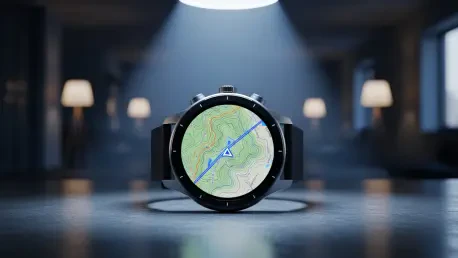

Achieving sub-meter accuracy while navigating through dense urban canyons or thick forest canopies often feels like a technological miracle for the modern athlete. Garmin watches have evolved into sophisticated computers that interpret data from a constellation of satellites orbiting high above the Earth. However, the variety of settings available can be overwhelming for users who simply want a reliable map of their morning run. Selecting the correct configuration is not merely about finding a signal; it is about balancing the demands of precise location tracking against the finite energy reserves of a wrist-worn battery. As global positioning technology reaches new heights in 2026, understanding the nuances of these systems becomes essential for maximizing the utility of a high-end wearable. Whether prioritizing accuracy for racing or endurance for a multi-day trek, the right choice depends on the environment and the specific objectives of the user. Most athletes benefit from a tailored approach rather than a one-size-fits-all setting.
1. Understanding the Global Navigation Satellite System Landscape
GPS, or the Global Positioning System, remains the foundational network for almost every wearable device on the market today. Managed by the United States, it provides a stable and reliable signal that is highly efficient for most standard outdoor activities. While it is excellent for preserving battery life, it may lack the precision of more advanced modes when faced with atmospheric interference or physical obstructions. To address these limitations, many Garmin models integrate GLONASS, a Russian-operated system that often connects to signals faster than GPS alone. By combining these two networks, a watch can access a larger number of satellites at any given moment, which significantly improves the likelihood of maintaining a lock in challenging terrain. This synergy between different national systems ensures that athletes do not lose their tracking data during critical segments of a race or when moving through areas with limited visibility to the open sky, making it a reliable baseline.
Modern Garmin watches also support systems specific to certain parts of the world, including Galileo for Europe, BeiDou for China, NavIC for India, and QZSS for Japan. These regional constellations provide localized enhancements that can drastically improve performance when operating within their intended geographical zones. For instance, a runner in London might find that enabling Galileo provides a more consistent pace reading near high-rise buildings compared to using only American satellites. The inclusion of these diverse networks reflects a shift toward global interoperability in consumer electronics. By utilizing a broader spectrum of signals, the device reduces the “time to first fix” and offers better resilience against the signal reflection often encountered in dense forests or steep valleys. Choosing the right regional support can be a game-changer for international travelers who demand the same level of accuracy abroad as they do at home, ensuring that their performance data remains high-quality and actionable.
2. How to Modify Your Garmin’s Tracking Preferences: Step-By-Step Configuration
Adjusting the satellite settings on a Garmin watch is a straightforward process that allows for deep customization based on the specific requirements of each activity profile. To begin, users should long-press the “Up/Menu” key on the side of the device to access the primary configuration screen. From there, navigate to “Settings” and pick “Activities & Apps,” which opens a list of all installed sport profiles. Choose the specific sport or application you wish to adjust, such as trail running or open-water swimming. Once selected, enter the configuration menu for that activity (for example, “Run Settings”). Move down the list to find “Satellites” or “GPS” to view the available tracking modes. Pick the tracking preference you want to use as the standard for that profile. This granular control ensures that high-accuracy modes are active only when necessary, while less intensive settings are reserved for walks or commutes where pinpoint precision is not the absolute top priority for the user.
Managing these settings effectively requires an understanding of how different environments impact signal reception and battery drain. For example, a cyclist riding on open country roads may not need the same level of satellite coverage as a mountaineer navigating a narrow ridge. By following the standardized steps to modify preferences, a user can create a bespoke experience for every outing. This flexibility is particularly useful for those who participate in a wide variety of sports, ranging from indoor gym sessions where GPS should be entirely disabled to extreme endurance events that demand the most efficient power-saving modes available. The ability to toggle these settings per activity means that the watch acts as a specialized tool for every discipline. Consistency in following this menu logic also helps users become more proficient with the Garmin interface, making it easier to troubleshoot signal issues on the fly or adjust settings mid-session if weather conditions change or battery levels drop.
3. A Deep Dive Into the Primary Garmin Tracking Modes
Multi-Band GNSS, often referred to as dual-frequency tracking, represents the current pinnacle of civilian satellite positioning technology available in 2026. This mode uses multiple signals from each satellite to bypass interference caused by signal bouncing, a phenomenon known as multipath error. It provides the highest level of precision in “canyons”—whether they are made of skyscrapers or dense trees—but consumes battery power quickly due to the increased processing required. For users who do not require such extreme accuracy, the All Systems mode serves as a versatile middle-ground option. This allows the watch to pick from any available satellite network, such as GPS, GLONASS, or Galileo, without the heavy power draw of Multi-Band. It is ideal for suburban environments or wooded trails where the signal is mostly clear but benefit from the redundancy of having multiple satellite constellations available. This balance ensures reliable distance data without needing to charge the device daily.
For those seeking a more automated approach to power management, SatIQ or Auto Select is a smart feature that automatically toggles between tracking modes based on the environment. It uses high-power Multi-Band only when the signal is weak, such as when entering a tunnel or moving under heavy tree cover, and switches to basic GPS when the sky is clear. This intelligent switching effectively balances accuracy with battery longevity, taking the guesswork out of setting selection. In contrast, UltraTrac mode is designed specifically for multi-day treks or ultramarathons where staying powered on is more important than exact mapping. This mode records your location less frequently, which can result in jagged lines on a map but dramatically extends the operational life of the watch. Choosing between these modes depends entirely on the duration of the activity and the necessity of every meter being accounted for. Understanding these trade-offs allows users to push their limits while maintaining functional equipment.
4. Device Compatibility and Implementation for Optimal Performance
The availability of specific satellite modes was heavily dependent on the hardware generation of the Garmin device being used. Most recent models released between 2026 and 2028, including the Fenix 7/8 series, Forerunner 255/965, and Venu 3 series, were able to access the full range of satellite networks including Multi-Band and SatIQ. These devices were equipped with modern chipsets capable of processing simultaneous signals from multiple constellations. In contrast, legacy models like the original Fenix, Fenix 2, and early Tactix watches only supported the standard GPS network. While these older devices remained functional for basic distance tracking, they lacked the sophisticated error correction and multi-system redundancy found in newer iterations. This distinction was crucial for buyers who were considering pre-owned hardware or those deciding whether it was time to upgrade their current gear to gain better performance in challenging urban or natural environments where older antennas struggled to maintain stable connections.
To achieve the best results with a Garmin watch, users evaluated the environment of the planned activity before selecting a satellite mode. If the route involved significant overhead cover or tall structures, the Multi-Band setting proved to be the most effective choice for ensuring precise tracking. Conversely, for activities in wide-open spaces, switching to basic GPS helped to conserve battery life for longer sessions. It was also beneficial to keep the watch software updated, as Garmin frequently released firmware patches that optimized satellite acquisition speeds and energy efficiency. By proactively managing these settings, athletes ensured that their devices provided the most relevant data for their specific needs. This strategic approach to technology usage prevented the common frustration of a dying battery mid-workout or inaccurate pace readings that could lead to poor training decisions. Successful navigation required a blend of high-tech features and the user’s practical knowledge of their local training environment.