
Few things are more frustrating than a high-definition video stream stuttering into a pixelated mess just as the sun sets over a perfectly manicured lawn. As households increasingly move their daily activities onto patios and into garden offices, the demand for high-speed internet no longer ends at the back door. Achieving a robust connection in an open-air environment requires more than just a powerful router; it necessitates a strategic blend of hardware placement, signal management, and occasionally, specialized equipment designed to survive the elements.
This guide provides a comprehensive roadmap for extending a digital footprint into the great outdoors. Readers will discover a range of solutions, from cost-free positioning tweaks that maximize existing hardware to the installation of professional-grade weatherproof nodes. By identifying signal dead zones and understanding the unique layout of a property, homeowners can ensure that every corner of their yard remains as connected as their living room, facilitating everything from remote work to automated landscape management.
Why Standard Home Networks Struggle to Reach the Garden
Residential Wi-Fi signals are essentially radio waves that radiate in a circular pattern from the router, but they face significant physical hurdles once they hit the perimeter of a house. Modern construction materials, particularly brick, stone, and energy-efficient glass, act as dense shields that absorb or reflect these signals. Consequently, a signal that is blazing fast in the hallway often becomes a weak whisper by the time it penetrates the exterior shell of the home.
Beyond physical barriers, the open-air environment introduces its own set of challenges regarding interference and signal dispersion. Without walls to contain and bounce the waves, Wi-Fi energy tends to dissipate quickly over distance. Furthermore, the increasing reliance on outdoor smart devices—such as 4K security cameras and irrigation sensors—puts a heavy load on a network that was never designed to broadcast beyond four walls. Understanding these technical limitations is the first step toward overcoming them.
Proven Strategies for Expanding Your Outdoor Wireless Coverage
Step 1: Optimize Your Current Router Placement and Settings
Maximizing Signal Reach Through Elevation and Centered Positioning
Before investing in new hardware, it is essential to ensure the primary router is working at its peak potential. Radio waves travel more efficiently when the transmitter is placed in an elevated position, away from large metal objects and electronic interference. Moving a router from a low shelf in a corner to a central, high location can significantly improve the signal’s ability to reach the backyard. Even a shift of a few feet toward a window can decrease the amount of solid material the signal must traverse.
Fine-Tuning External Antennas to Direct Coverage Toward Problem Areas
If a router features adjustable external antennas, their orientation can be manipulated to better direct the signal. Contrary to popular belief, pointing an antenna directly at the target area is not always the most effective method; rather, placing them perpendicular to the desired coverage zone often yields better results. Experimenting with different angles while using a signal-testing app on a smartphone allows for real-time adjustments that can bridge the gap between a dead zone and a functional connection.
Extending Reach with Longer Ethernet Cables for Strategic Placement
Sometimes the best way to improve outdoor access is to physically move the router closer to the exit point. Utilizing a high-quality, shielded Ethernet cable allows for the router to be placed on a windowsill or an attic shelf overlooking the yard. This simple change reduces the number of walls the signal must penetrate. If the current internet gateway is tucked away in a basement or a closet, this adjustment alone might solve the problem without any further technical intervention.
Step 2: Leverage Mesh Networking for Seamless Roaming
Moving Secondary Nodes to Back Windowsills for Unobstructed Line-of-Sight
Mesh networks are designed to eliminate dead zones by using multiple nodes to create a unified blanket of coverage. To maximize outdoor performance, one should place a secondary mesh node on a windowsill that directly faces the patio. This configuration ensures that the signal has a clear line-of-sight to the outdoor area, minimizing the signal degradation caused by thick exterior walls. This approach allows devices to transition smoothly between indoor and outdoor nodes without dropping the connection.
Using Wired Backhaul to Maintain High Speeds at the Edge of Your Property
While mesh nodes usually communicate wirelessly, connecting them via a physical Ethernet cable—known as wired backhaul—ensures the highest possible speeds. By running a cable to a node located near the back of the house, the system avoids the speed loss that occurs when nodes relay signals over long distances. This method is particularly effective for large properties where the distance between the main router and the garden is too great for a stable wireless link.
Integrating Armored Ethernet Cables for Permanent Outbuilding Connections
For those who have converted a shed or a detached garage into a workspace, a permanent wired connection is often the most reliable route. Using armored Ethernet cables, which are designed to be buried directly in the soil, allows for a stable connection to be delivered to an outbuilding. Once the cable reaches the destination, it can be plugged into a dedicated access point, effectively creating a high-speed hub that serves the furthest reaches of the property with professional reliability.
Step 3: Utilize Your Smartphone as an Immediate Hotspot
Configuring Personal Hotspots on iOS and Android Devices
When a permanent solution is not immediately available, a smartphone can serve as a powerful bridge to the internet. By navigating to the cellular settings on an iOS or Android device, users can activate a personal hotspot that broadcasts a local Wi-Fi signal. This is an ideal solution for temporary tasks, such as checking emails or streaming music during a one-off outdoor gathering, provided the cellular signal in the area is sufficiently strong.
Managing Data Caps and Mitigating Battery Performance Issues
Using a phone as a hotspot is resource-intensive and can quickly deplete both the battery and the monthly data allowance. To mitigate these issues, it is wise to keep the phone connected to a portable power bank and monitor data usage through the device’s internal tracking tools. Most modern smartphones allow users to set data limits, ensuring that an afternoon of outdoor work does not result in unexpected overage charges from the cellular provider.
Best Use Cases for Temporary High-Speed Outdoor Access
This method is most effective when high-speed fiber or cable internet is down, or when a user is working in a part of the yard that is completely out of reach of the home network. It provides a quick, no-setup-required fix for short-term needs. However, due to the latency inherent in cellular networks, this might not be the best choice for competitive gaming or high-bandwidth video conferencing compared to a dedicated residential Wi-Fi extension.
Step 4: Install Dedicated Weatherproof Outdoor Routers
Deciphering IP Ratings to Ensure Protection Against Rain and Dust
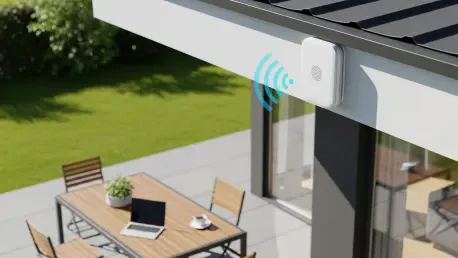
For a permanent outdoor solution, hardware must be rated to survive the elements. Ingress Protection (IP) ratings, such as IP65 or IP67, indicate how well a device is protected against moisture and solid particles. An IP65 rating generally means the router can handle rain and wind-blown dust, making it suitable for mounting under an eave or on a fence post. Choosing the correct rating ensures the hardware will last through seasons of extreme temperature and humidity.
Selecting Compatible Nodes for Established Ecosystems Like TP-Link and Eero
Most major networking brands now offer outdoor-specific nodes that integrate directly into their existing mesh ecosystems. When selecting an outdoor unit, it is crucial to stay within the same brand family to ensure seamless roaming and centralized management. These specialized devices are built with internal heaters and cooling systems, allowing them to maintain high-performance speeds even in sub-zero winters or scorching summer heatwaves.
Powering Outdoor Units via Exterior Outlets or Power over Ethernet (PoE)
One of the biggest hurdles in installing outdoor hardware is providing electricity. Power over Ethernet (PoE) is the gold standard for these installations, as it allows both data and power to travel over a single Ethernet cable. This eliminates the need for a bulky power brick and an outdoor electrical outlet. Alternatively, if an outlet is already available on the patio, many outdoor routers come with weatherproof power supplies that can be safely plugged in and left throughout the year.
Step 5: Deploy Portable Travel Routers for Targeted Connectivity
Leveraging 5G SIM Cards for High-Bandwidth Dedicated Outdoor Access
Modern travel routers have evolved into sophisticated hubs that can accept 5G SIM cards to provide a dedicated internet source. These devices are particularly useful for those with sprawling acreage where the main house Wi-Fi simply cannot reach. By placing a 5G-enabled travel router in a strategic outdoor spot, users can enjoy a high-bandwidth connection that is completely independent of the home’s primary ISP.
Using USB Tethering and Power Banks for Truly Mobile Wi-Fi
Compact travel routers often support USB tethering, allowing them to draw an internet connection from a smartphone while broadcasting a much stronger Wi-Fi signal than the phone could on its own. Because many of these units can be powered by standard USB power banks, they offer a truly mobile solution that can be moved from the deck to the fire pit or even taken on camping trips, providing a consistent network environment wherever the user goes.
Comparing Wi-Fi 6E and Wi-Fi 7 Capabilities in Compact Hardware
The latest generation of travel hardware incorporates Wi-Fi 6E and Wi-Fi 7 standards, which utilize the 6GHz band to reduce congestion. This is a significant advantage in crowded suburban neighborhoods where many overlapping 2.4GHz and 5GHz signals can cause interference. Opting for a Wi-Fi 7-capable travel router ensures that even in an outdoor setting, the connection remains low-latency and capable of handling multiple 4K video streams simultaneously.
Quick Reference: Comparison of Outdoor Connectivity Methods
- Simple Adjustments: Best for small decks; zero cost.
- Mesh Nodes: Best for medium yards; requires existing mesh hardware.
- Smartphone Hotspot: Best for short-term use; relies on cellular signal.
- Outdoor Routers: Best for large properties and permanent setups; high durability.
- Travel Routers: Best for flexibility and power-bank compatibility.
The Evolution of the “Outdoor Office” and Smart Landscaping
The shift toward flexible work environments has transformed the backyard from a simple leisure space into a functional extension of the professional office. This trend is driving manufacturers to produce residential networking gear that rivals commercial-grade equipment in both range and durability. As 2026 progresses, the integration of high-capacity wireless standards is making it possible to hold jitter-free video calls while sitting by the pool, a feat that was once reserved for those with expensive custom installations.
Furthermore, the rise of smart landscaping—including robotic mowers and AI-driven irrigation systems—demands a reliable connection across the entire property. Wi-Fi 7 is playing a pivotal role in this evolution by providing the ultra-low latency required for these autonomous systems to operate safely and efficiently. Looking ahead, point-to-point wireless bridges are becoming more accessible, allowing owners of massive rural properties to beam high-speed internet miles away to barns or guest houses with minimal infrastructure.
Final Recommendations for Reclaiming Your Outdoor Connectivity
The journey toward a perfectly connected backyard began with an assessment of the physical environment and a realization that indoor routers face significant hurdles when broadcasting through exterior walls. Once the limitations were understood, the process involved a series of logical escalations. The initial steps focused on zero-cost optimizations, such as repositioning the router and adjusting antennas to maximize the efficiency of existing signals. These simple maneuvers proved that small changes in physics could lead to noticeable improvements in coverage without a single dollar spent.
As the needs for higher bandwidth and greater range became apparent, the strategy shifted toward hardware solutions. Mesh networking emerged as a powerful tool for creating a seamless transition between the living room and the deck, while dedicated outdoor nodes provided the rugged durability needed for year-round connectivity. Finally, the use of portable travel routers and 5G hotspots offered the ultimate flexibility for those with larger properties or temporary needs. Moving forward, homeowners should prioritize testing signal strength in every outdoor zone and consider a multi-layered approach to ensure their digital life is never tethered to the indoors.